Turn the heat down,
don't put out the fire.
Run a few agents and the fans take off. Manatee finds out who it is and how long it has been running hot, then moves it to the efficiency cores — the task keeps running.
$ brew install --cask luogao/tap/manatee
Lives in the menu bar·macOS 13+·Apple Silicon·MIT licensed
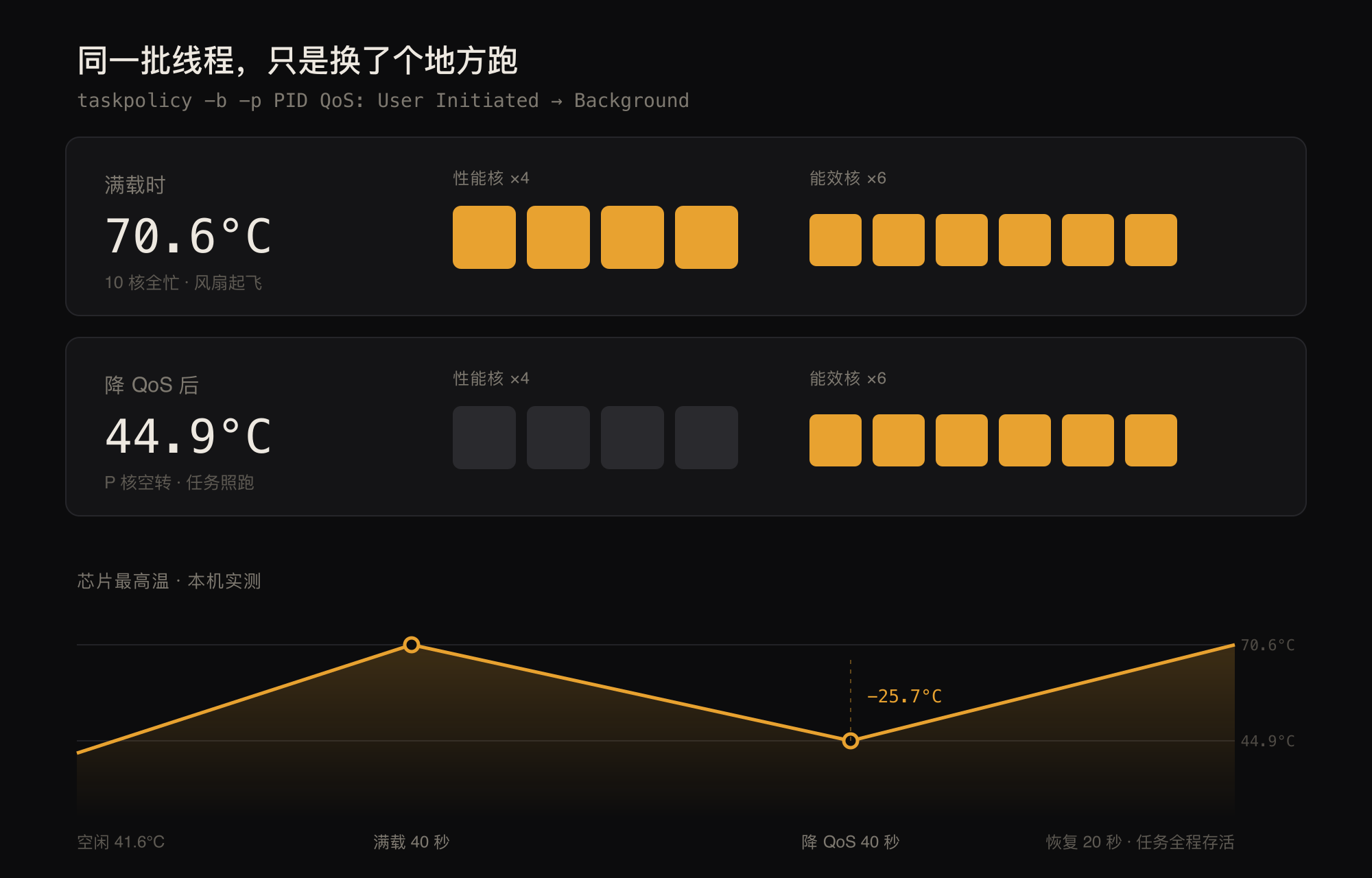
70.6 → 44.9℃
Measured at 8 threads pegged, peak to settle
−25.7℃
Peak drop from a single cool-down
25s
9℃ down during a real runaway Claude Code
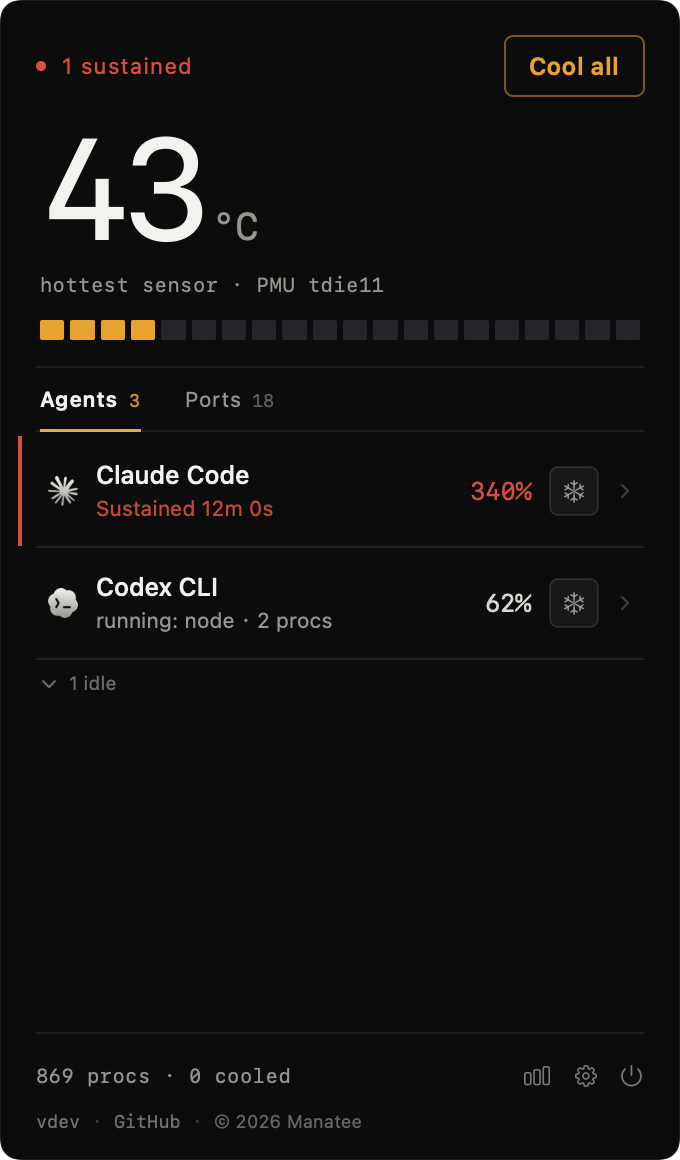
Dark · tabular figures
Not another resource monitor.
Activity Monitor counts processes. Manatee counts sessions — the dozen node processes one agent spawns show up here as a single line.
Activity Monitor / Stats / iStat
- node4721127.9%
- node772338.3%
- node7724531.7%
- node7728119.4%
- node7728512.1%
- node7730153.5%
- node6035922.8%
- node6009734.2%
- node6490416.5%
- node4982129.9%
- node608611.2%
- node2024438.8%
- node203217.4%
- node2037026.3%
14 node processes adding up to 340%, and no way to tell whose.
Manatee
One session, 14 child processes, folded into one line.
The usual approach
"Kill the process." The temperature drops right away, and the task starts over from scratch.
Manatee
"Move it to the efficiency cores." The threads keep running, they just stop competing for the performance cores.
The usual approach
"How hot is it right now." One instantaneous reading, forgotten the moment you close the window.
Manatee
"Who burned the most CPU this week." Archived by session, look back any time.
Six things, all in the menu bar.
No dashboard home page, no account, no onboarding flow. Click it and that is everything.
Temperature in the menu bar
The hottest sensor sits next to the clock, so you never open a window just to glance at a temperature.
Sessions, merged
The dozen processes of one agent fold into a single line — counted by session, not by pid.
Cool down without killing
It lowers the scheduling class and the threads keep running. Context, temp files, uncommitted changes — all still there.
Sustained-load alerts
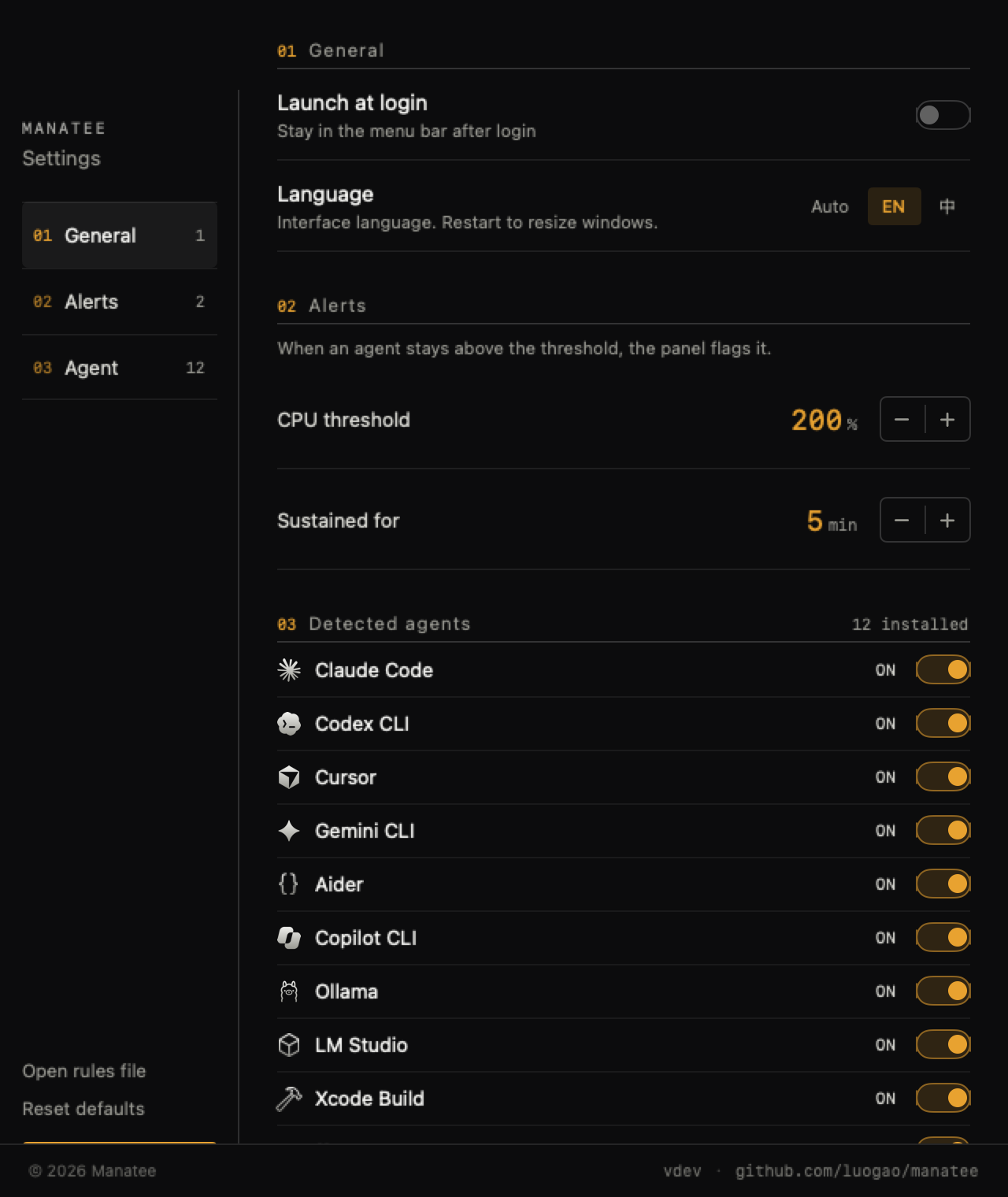
Something is only flagged once it crosses your threshold and stays there. Both are adjustable.
Port monitoring
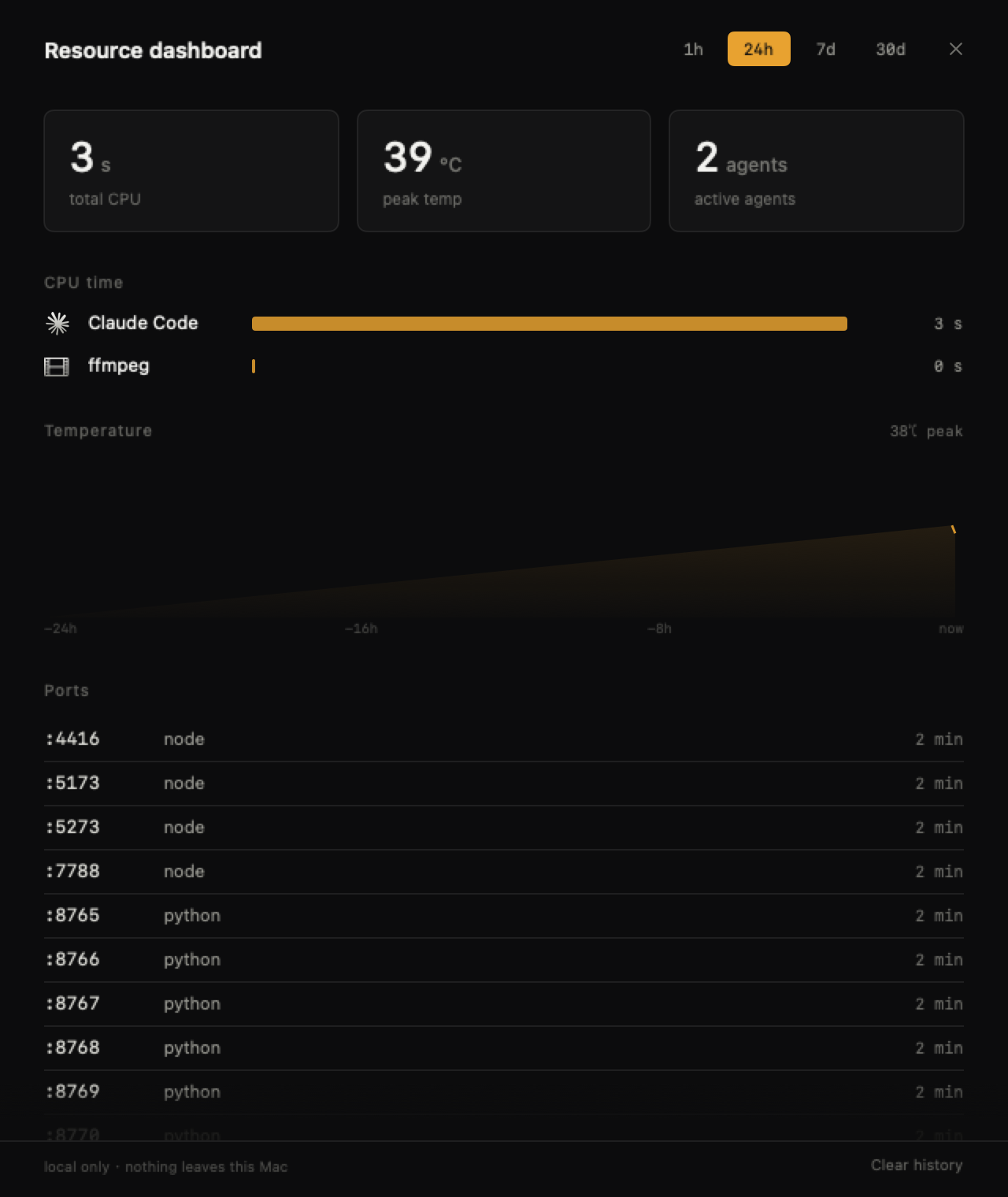
Who is holding 5173, who still has 7788 up, and how long each has been alive.
Resource dashboard
One hour to 30 days of CPU time, temperature curves and port history — all stored locally.
The same threads, just running somewhere else.
Manatee calls the built-in taskpolicy to drop the target process from User Initiated to Background QoS. The performance cores go back to foreground work; the efficiency cores keep running your task.
This is not SIGSTOP — the process never halts. And it is not nice — on Apple Silicon that priority scheme does not influence core assignment.
Restoring is just as simple: put the QoS back and the threads return to the performance cores. No restart, no lost context.
Three ways to install, one command is fastest.
Requires macOS 14 or later. No account, no subscription.
01 / HOMEBREW
One command
It appears in the menu bar right after installing. On first launch, just allow it to read the sensors.
02 / RELEASES
Direct download
Grab the latest from Releases and drag it into Applications.
03 / SOURCE
From source
Open the project in Xcode 16, then Build & Run.
Six things you might be wondering.
Will it kill my agent?
No. Manatee only changes the scheduling class. The process does not exit and terminal output keeps flowing. Click once to restore.
How much slower will the task get?
Depends on the work. Compute-bound tasks slow down noticeably; network- and IO-bound ones barely notice. In testing, 8 pegged threads survived start to finish while the chip went from 70.6℃ to 44.9℃.
How is this different from Activity Monitor, Stats or iStat?
They count by process; Manatee merges by session. One Claude Code session may spawn a dozen node processes, and you only need one line: who it is, how hot, and for how long.
Does it need root?
No. It changes the QoS of processes you started yourself, which normal user permissions cover.
Which agents are supported?
Claude Code, Codex CLI, Cursor, Gemini CLI, Aider, Copilot CLI, Ollama, LM Studio and Xcode Build — 12 in total, each with its own toggle in settings.
Is any data uploaded?
No. Temperature, ports and history are read and written locally only. No account, no telemetry.